Find the active Descript coupon codes below to save up to 35% annually. Use these Descript promo deals to edit your videos and podcasts with AI-powered tools at a lower price.


How to Get the Descript Discount 2026
Follow these simple steps to find and apply the best Descript discounts available this year, including annual billing savings and special program eligibility.
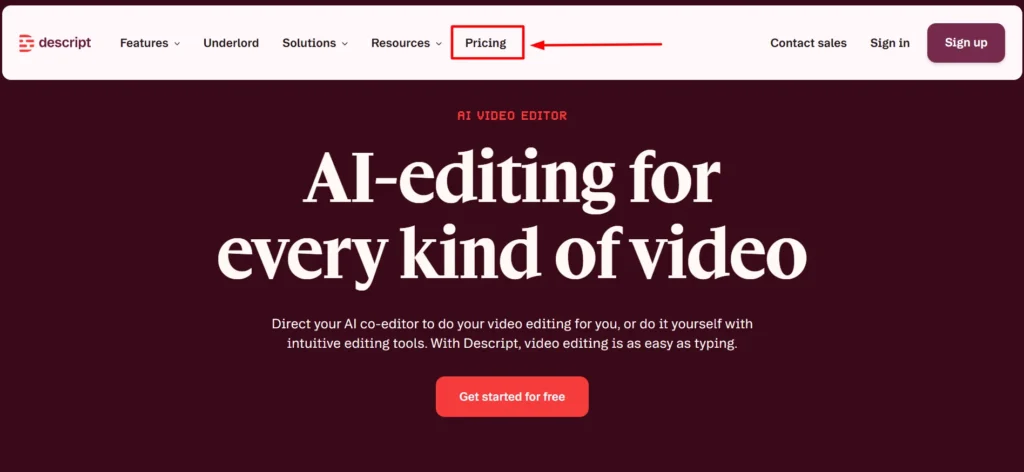
Step 1: Visit Descript’s official pricing page.
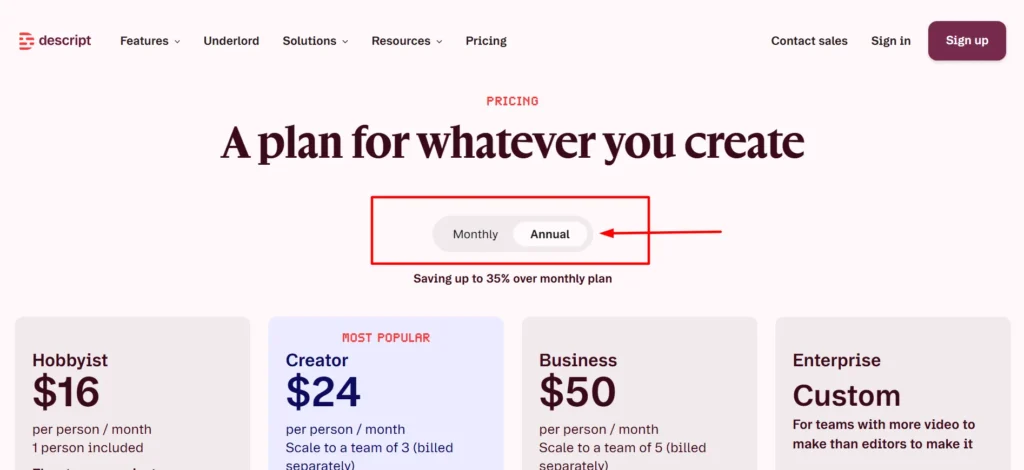
Step 2: Toggle the pricing display to “Annual” to see the discounted per-month rate for each plan.
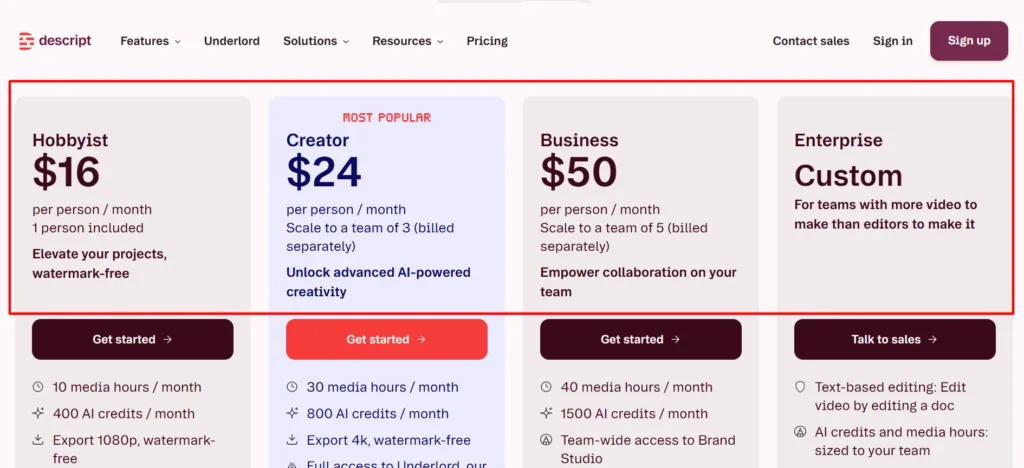
Step 3: Compare Hobbyist, Creator, and Business based on your media hours, AI credit, and team size needs.
Step 4: If you’re a student, educator, or work for a non-profit, fill out Descript’s discount request form separately before signing up.
Step 5: Select your plan and confirm annual billing is selected before entering payment details.
Step 6: Complete signup, no credit card is needed if you’re starting on the Free plan first.
Step 7: If you exceed your plan’s media hours or AI credits later, purchase a top-up rather than upgrading your whole plan.
Step 8: Confirm your plan and billing cycle in your account settings after signup to verify the discount applied correctly.
Top Ways to Save on Descript
Guaranteed Discount: Up to 35% Off with Annual Billing No code required, applies automatically when you choose annual over monthly.
- Hobbyist: $24/mo monthly → $16/mo annual (33% savings)
- Creator: $35/mo monthly → $24/mo annual (~31% savings)
- Business: $65/mo monthly → $50/mo annual (~23% savings)
- Applies the moment you select annual billing at signup
Free Plan: $0, No Credit Card Required Genuinely usable to test the platform before paying anything.
- 60 minutes of media processing per month
- 100 one-time AI credits
- Access to core editing tools and Underlord (limited)
Student, Educator, and Non-Profit Discount Requires a separate application form, not automatic at checkout.
- Available to eligible students, educators, and non-profit organizations
- Apply directly through Descript’s dedicated discount request form
Who Should Use This Discount
- Solo creators and podcasters ready to commit to a full year
- Small marketing teams needing 4K export and advanced AI tools (Creator plan)
- Growing content teams needing Brand Studio and priority support (Business plan)
- Students, educators, and non-profits eligible for additional discounted rates
- Anyone testing Descript on Free before deciding whether to commit annually
Pricing After Discount
See real pricing examples showing what you’ll actually pay on different Descript plans after applying annual billing discounts and other available savings.
Plan | Monthly Price | Annual Price (per month) | Annual Savings |
Hobbyist | $24/mo | $16/mo | 33% |
Creator | $35/mo | $24/mo | ~31% |
Business | $65/mo | $50/mo | ~23% |
Smart Ways to Save on Descript
- Start on Free to confirm the text-based editing workflow actually fits before paying anything
- Choose annual billing immediately if you’re confident you’ll use Descript for at least a year, the savings are real and automatic
- Apply for the student, educator, or non-profit discount before signing up if you’re eligible, it’s not something you can add after the fact
- Buy top-ups instead of upgrading your whole plan tier for an occasional high-usage month
- Watch your media hours and AI credits separately, they don’t scale together, and running out of one doesn’t mean you’re close to running out of the other
- Don’t pay for Business seats you don’t need yet, Creator’s included team of 3 may cover a small team before Business’s team of 5 becomes necessary
About Descript
Descript is an innovative AI-powered video and audio editing platform that revolutionizes how creators work with media. Instead of traditional timeline scrubbing and complex editing workflows, Descript lets you edit your videos and podcasts simply by editing the transcript.
This unique approach makes professional quality editing accessible to anyone, regardless of technical experience.
Founded in 2017 by Andrew Mason, the co-founder of Groupon, Descript has grown to serve more than six million creators and teams worldwide.
The platform is trusted by major companies including Amazon, Canva, Salesforce, and the BBC, proving its reliability and capabilities at enterprise scale.
Whether you’re a solo content creator, podcaster, or part of a large production team, Descript streamlines your editing process with cutting-edge AI technology.
Quick Facts | Details |
Founded | 2017 |
Headquarters | San Francisco, CA |
Users | 6 million+ creators and teams |
Free Plan | Yes, no credit card required |
Starting Paid Price | $16/month (Hobbyist, annual) |
Top Plans | Free, Hobbyist, Creator, Business, Enterprise |
G2 Rating | 4.6/5 (837 reviews) |
Best For | Podcasters, YouTubers, marketing teams |